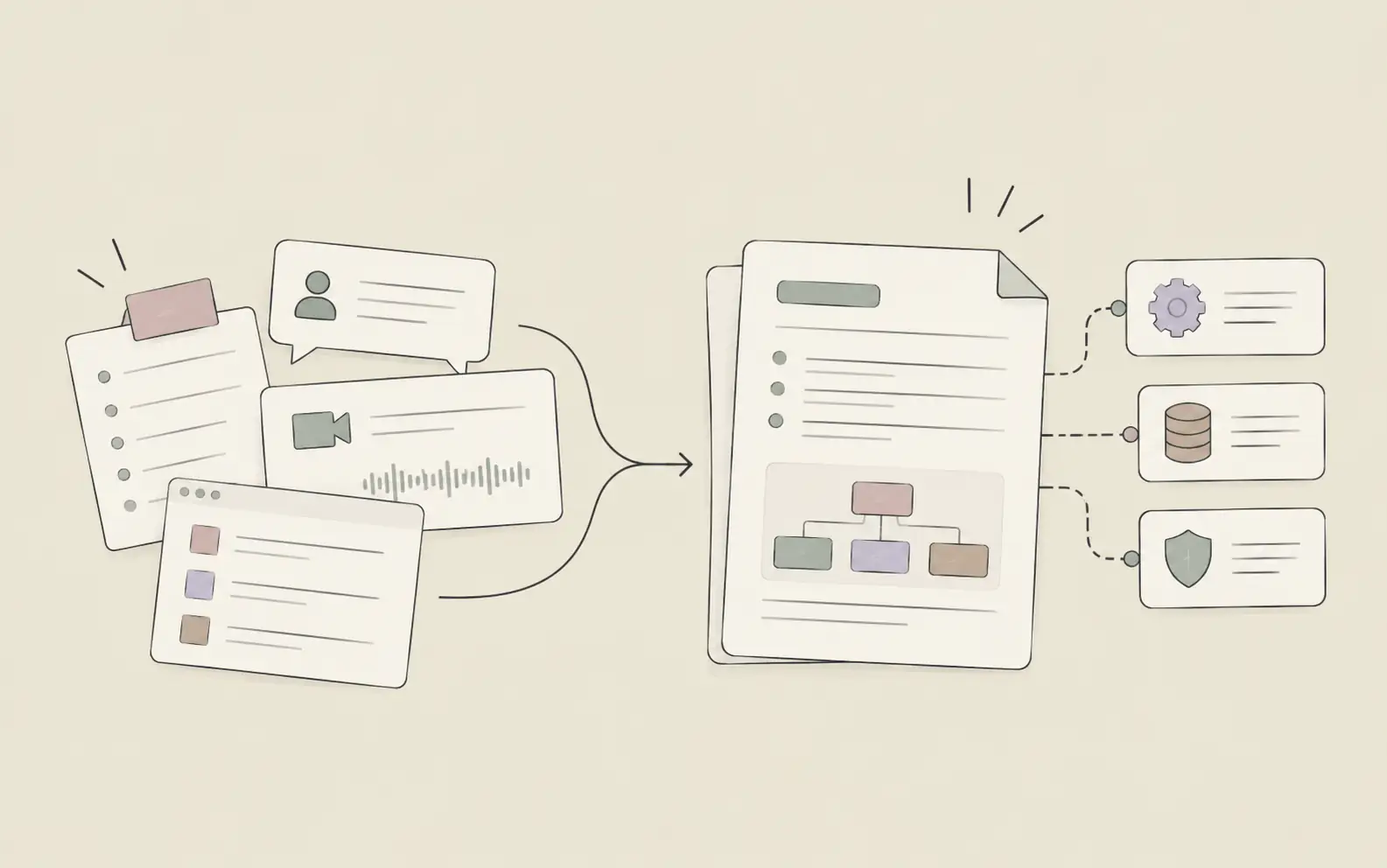
A demo script built with AI closes that gap. Instead of starting from a blank slide deck or a script you wrote six months ago, you can pull the specifics from your own discovery notes — the priorities, the pain points, the exact language the prospect used — and turn them into a structured talk track in a fraction of the time. In this guide, we'll walk through 6 steps: gathering what actually matters from discovery, outlining the narrative arc, drafting section-by-section talking points, building in flex points for live questions, turning the draft into a document you can review, and saving the structure so the next script starts faster.
What You'll Need
- Notes or a recording summary from your discovery call with this specific prospect
- A rough idea of which parts of your product or POC you plan to walk through
- A document or Markdown file where the finished script will live
How to Create a Demo Script with AI: 6 Steps
Step 1: Pull What the Prospect Actually Said They Cared About
Before you write a single line of the script, go back to what came out of discovery — not your general assumptions about "what buyers in this industry usually want." If the prospect spent ten minutes on reporting latency and barely mentioned integrations, your demo script needs to reflect that ratio, not the reverse. The goal here is to separate what this specific buyer cares about from what you'd cover in a generic walkthrough.
If you've been logging discovery conversations in a workspace that keeps context across sessions, this step is mostly retrieval rather than re-reading transcripts from scratch. Because Noumi carries forward what a prospect said in earlier conversations, you can ask it to surface the priorities and vocabulary from that specific account instead of starting the script from a blank page.
- Top priority: reducing manual reconciliation time (mentioned twice, called it "the Friday scramble")
- Pain point: current tool requires exporting to a spreadsheet before anyone can review numbers
- Vocabulary to reuse: "reconciliation," "sign-off," "the Friday scramble"
- Lower priority: SSO and admin controls (asked once, didn't follow up)
Step 2: Outline the Narrative Arc Before You Write Talking Points
A demo that jumps straight into "here's the dashboard" loses people. The scripts that hold attention follow a simple arc: state the problem in the prospect's own terms, walk through how the product solves it, and land on a payoff that connects back to what they said they needed. Sketching this arc before you write any actual talking points keeps the script from turning into a feature tour.
Rather than writing the outline from scratch every time, describe the shape you want and the discovery inputs from Step 1, and let the structure come back to you as a starting skeleton you can adjust.
Step 3: Draft Section-by-Section Talking Points
With the arc in place, the next step is filling in what you'll actually say in each section — not a word-for-word script to read aloud, but enough structure that you're not improvising the framing on the call. This is where the discovery-specific language from Step 1 gets woven in directly, so the demo sounds like it was built for this prospect rather than adapted from a template.
Because this is a multi-step drafting task rather than a single question, it helps to hand off the full outline and discovery context at once and let the draft come back section by section, rather than prompting line by line.
- Open: "You mentioned the Friday scramble takes a full day of manual reconciliation — walk me through what that actually looks like on your end?" [pause for their answer, then transition]
- Walkthrough: "Here's where that matching happens automatically... this is the exception queue you'd be checking instead of spreadsheets... and this is where sign-off happens without the export step."
- Payoff: "So instead of a full day on Friday, this is closer to a 30-minute review before sign-off."
Step 4: Build In Transition Lines and Flex Points for Live Questions
The best-prepared demo scripts aren't rigid — they have built-in points where the rep expects to pause, ask a question, or field an objection instead of plowing ahead. If you know from discovery that a prospect's security team will ask about data handling, or that a technical stakeholder is likely to push on integration depth, write a transition line for that moment now rather than scrambling for one live.
This is also where it's worth thinking ahead to where the demo might get derailed by pushback rather than curiosity. A good script anticipates where objections are likely to surface and gives the rep a bridge back to the narrative instead of a dead end — something we cover in more depth in how to handle technical objections in sales calls with AI.
- Likely moment: after the exception queue demo, expect a question about audit trail — bridge line: "Good question — every exception is logged with a timestamp and the reviewer's name, which feeds directly into your sign-off record."
- Likely moment: cost of implementation — bridge line: "That's exactly what we'd map out in a scoped pilot before you commit to anything broader."
Step 5: Turn the Draft Into a Document You Can Review Before the Call
A script that only exists as a chat thread is easy to lose track of and hard to mark up before the call. Once the arc, talking points, and flex points are drafted, get them into a single document — Markdown or a plain doc file works fine — so you can read through it end to end, trim what's too long, and add your own notes in the margins before you're on with the prospect.
Noumi can generate the finished script as a document file rather than leaving it scattered across a conversation, which makes it easier to review, edit, and hand off to anyone else joining the call.
Step 6: Save the Structure as a Reusable Skill for Next Time
Once you've built a script structure that actually holds up on a call — the right balance of problem framing, walkthrough depth, and payoff — don't rebuild that shape from zero for the next prospect. Save the arc and section format as a template you can reuse, so future scripts start from your team's proven structure instead of a blank page, with only the discovery-specific content changing each time.
Noumi lets you save a structure like this as a Skill, so the next demo script starts from your team's own narrative shape rather than being reinvented call by call. This matters most for solutions engineers running back-to-back demos across different accounts, where consistency in structure — not content — is what keeps quality high under time pressure; it's one of the reasons the workflow fits naturally into how solutions engineers handle a full pipeline of technical calls.
Pro Tips for Better Demo Scripts
Write the payoff line before the walkthrough. If you don't know what you're building toward, it's easy to over-explain features that don't connect back to anything the prospect said they needed.
Cut, don't add, on a second pass. A first draft almost always runs long. The strongest scripts get shorter after review, not longer.
Keep vocabulary consistent with the prospect's own words. If they called their problem "the Friday scramble," use that phrase in your payoff line — it signals you were actually listening, not just presenting.
Time each section, not just the whole demo. A script that's 20 minutes on paper often runs 30 live once questions start. Build in slack for the sections most likely to generate discussion.
Frequently Asked Questions
Start Writing Sharper Demo Scripts
A demo script that reflects what a specific prospect actually cares about — instead of a generic feature tour — is one of the highest-leverage documents a solutions engineer writes. Pulling discovery context forward, structuring the arc, drafting talking points, and preparing flex points for live questions doesn't have to mean starting from scratch every single time. Visit Noumi to see how a workspace that remembers what came up in discovery can help you turn that context into a tailored demo script in a fraction of the usual time.