
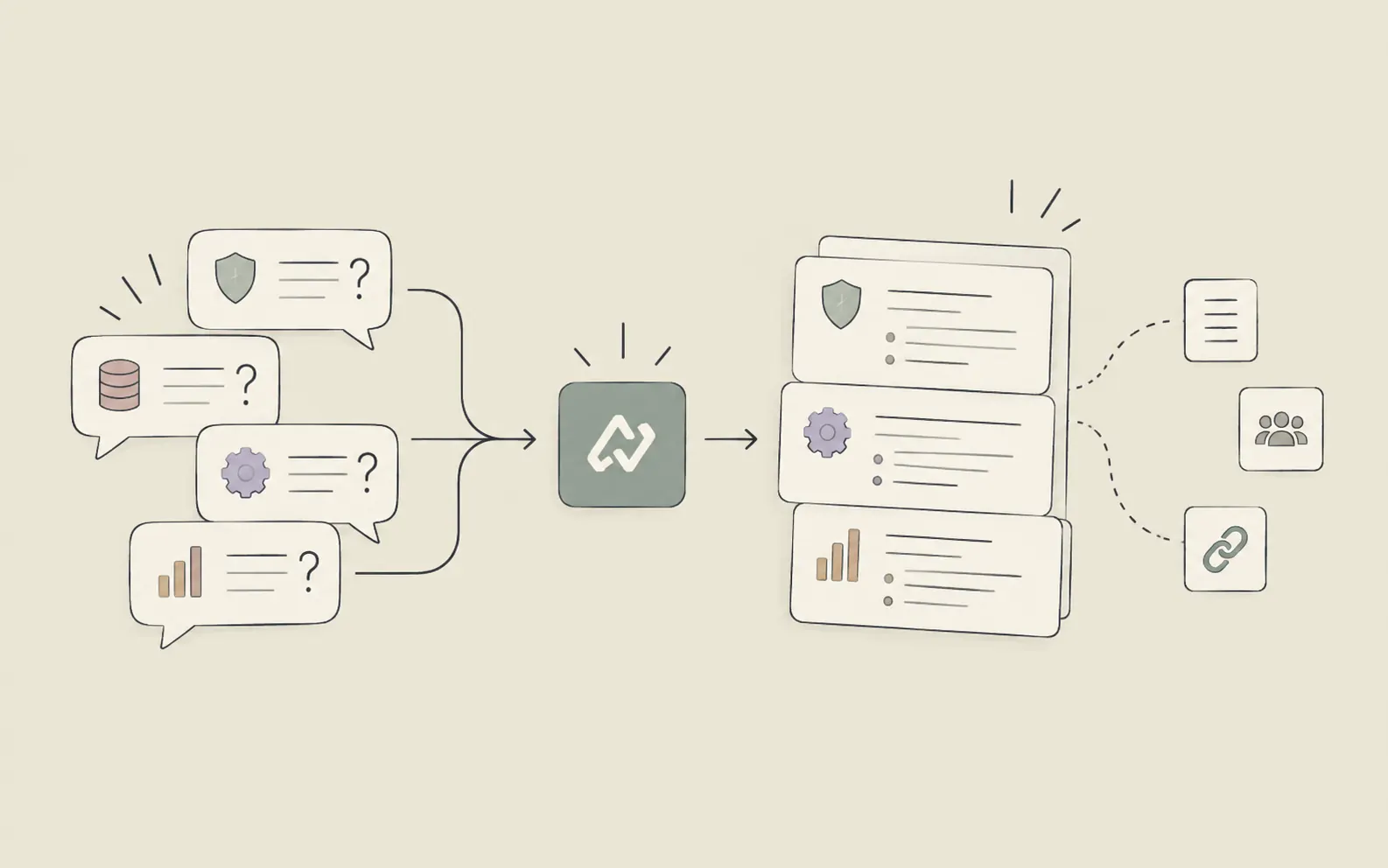
A prospect asks, "How is this different from what we already have?" or "What happens to our data during onboarding?" and the room goes quiet for a beat too long. Technical objections rarely arrive on schedule — they surface mid-demo, in front of the one stakeholder who actually controls the budget, and a hesitant answer can undo twenty minutes of otherwise strong momentum. Most solutions engineers know this pattern well: the same handful of objections (security, integration gaps, competitive positioning, scalability) keep resurfacing across accounts, yet the responses often get rebuilt from scratch every time because nobody wrote them down after the last call.
The fix isn't a better poker face on the call — it's showing up with a battlecard-style reference already built, so the answer to "how is this different from X" is a recall exercise, not an improvisation. In this guide, we'll walk through 6 steps for compiling likely technical objections and strong responses ahead of a call, and drawing on that reference in real time when the question actually lands.
What You'll Need
- Notes or recordings from past sales and discovery calls where objections came up
- Access to internal threads (Slack, email, shared docs) where objection responses were previously worked out
- A rough segmentation of your accounts or prospect types (industry, company size, technical maturity)
How to Handle Technical Objections in Sales Calls with AI: 6 Steps
Step 1: Pull Together Every Objection You've Already Heard
Before inventing hypothetical objections, start with the ones that already happened. Go back through call notes, CRM fields, and any internal Slack threads where a rep or solutions engineer scrambled to answer a tough technical question. This step is about collection, not analysis — the goal is a raw list of every security question, integration doubt, or competitive comparison that has come up in the last two or three quarters.
Try this with Noumi: "Search my connected Slack channels and Google Drive for any mentions of security objections, integration concerns, or competitor comparisons raised during sales calls in the last two quarters. Compile a raw list with the source and date for each."
Tip: Don't filter yet. An objection that only came up once from a small account might reappear from a much bigger one next quarter.
Step 2: Group Objections by Category and Segment
A raw list of twenty scattered objections is hard to prepare against. Sort them into a small number of recurring categories — security and compliance, integration and data flow, "why not the incumbent," pricing versus scope, and scalability — and note which prospect segments each category tends to come from. Enterprise buyers usually push hardest on security and data residency; mid-market buyers push harder on integration effort and time-to-value.
Example output:
- Security & compliance: 7 instances, mostly enterprise accounts (SOC 2, data residency, SSO)
- Integration gaps: 5 instances, mostly mid-market (CRM sync, existing tool overlap)
- Competitive positioning ("how is this different from X"): 6 instances, all segments
- Scalability: 3 instances, mostly accounts with 500+ seats
This categorization step matters because it turns a messy history into something you can prepare against systematically, rather than reacting to whatever comes up first.
Step 3: Draft a Strong Technical Response for Each Category
For every category, write the response you wish someone had given the first time the objection came up — specific, technically grounded, and honest about tradeoffs rather than defensive. A weak response deflects; a strong one acknowledges the concern, gives a concrete answer, and, where relevant, points to what happens next (a follow-up doc, a technical contact, a scoped pilot). If a competitive claim needs a current, verifiable detail — a pricing change, a new certification, a feature the incumbent just shipped — look it up and cross-check it across a couple of sources before you commit it to the battlecard, rather than relying on memory.
Try this with Noumi: "Draft a response to the objection 'how is your data security different from [incumbent]?' for an enterprise prospect in financial services. Keep it factual, acknowledge what we don't yet support, and suggest a clear next step. Also check whether [incumbent] has published any new security certifications in the last six months before we finalize the wording."
Example output: "We support SSO and role-based access out of the box; SOC 2 Type II is in progress with expected completion this quarter. For data residency requirements specific to financial services, we'd recommend a short call with our technical team to confirm regional hosting options before you finalize the RFP checklist."
This kind of drafting builds directly on the groundwork laid during earlier discovery conversations — if your team already ran a structured technical discovery call, the objections and constraints surfaced there should feed straight into this response library rather than being re-collected from scratch, an approach covered in more detail in how to prepare for a technical discovery call.
Step 4: Turn the List Into a Battlecard You Can Actually Use Live
A spreadsheet with fifteen objections and long paragraph answers is useless mid-call. Condense each entry into a battlecard format: the objection in the prospect's own words, a two-sentence response, and one supporting proof point (a case study, a stat, a technical doc link). Organize the battlecard by category so that when a security question lands, you're scanning one section instead of the whole document.
Try this with Noumi: "Turn the objection list from Step 3 into a battlecard format — one line per objection, a two-sentence response, and one proof point each. Group by category and keep the whole thing under one page."
Tip: Keep a version of the battlecard scoped to the specific account you're calling next, not just the generic one — a note that "this prospect's CTO already flagged integration concerns in the discovery call" changes how you'd open that section.
Step 5: Rehearse the Highest-Risk Objections Before the Call
The battlecard only helps if the responses come out sounding natural rather than read off a page. Pick the two or three objections most likely to come up in the specific call you're prepping for — based on the account's segment, past interactions, or what came up in discovery — and rehearse the response out loud once. This is a five-minute step, not a full mock call, but it's the difference between a fluent answer and a visibly rehearsed one.
Example output: Pre-call prep note: "Likely objections for [Account]: (1) integration with their existing data warehouse — response ready, proof point is the [similar company] case study; (2) 'why not [competitor]' — response ready, need to double-check their latest pricing page before the call."
Step 6: Capture What Happened After the Call and Feed It Back In
Every real call surfaces something the battlecard didn't anticipate — a new phrasing of a familiar objection, or a genuinely new one. The step most teams skip is closing the loop: writing down what came up and how it landed, so the next person calling into a similar account isn't starting from zero. Over time, this turns a static document into a growing, account-specific objection log that reflects what actually works, not just what sounded good in a planning session.
Try this with Noumi: "Add a note to this account's record: the prospect raised a new objection about API rate limits that wasn't on the battlecard. Save my response and flag it for review before the next call with a similar mid-market account."
Tip: Log the objections that landed well just as often as the ones that didn't — knowing which response actually reassured a skeptical buyer is as valuable as knowing which one fell flat.
Pro Tips for Handling Technical Objections in Real Time
- Answer the concern behind the question, not just the words. "How is this different from X" is often really "why should I switch," "is this too risky," or "will this actually get used." A response that only compares feature lists misses the real objection.
- Never bluff on a technical detail you're not sure about. Saying "let me confirm that and follow up today" preserves credibility; a guessed answer that turns out wrong does lasting damage to the deal.
- Keep the battlecard segment-specific, not just topic-specific. A security objection from a healthcare account and one from a fintech account need different proof points, even if the underlying category is the same.
- Revisit the battlecard every quarter, not just before big calls. Objections shift as competitors update their positioning and as your own product changes; a battlecard that's a year old is often actively wrong.
- Turn the compilation routine into something repeatable, not a one-off exercise. If you find yourself running the same "pull objections, group by category, draft responses" process before every new account, save it as a routine you can re-run rather than rebuilding it from scratch each time.
Frequently Asked Questions
Get Ahead of the Next Technical Objection
Technical objections aren't going away, but scrambling for an answer in the moment is avoidable. Building a battlecard from real call history, drafting grounded responses, and feeding new objections back into the log after every call turns a stressful live moment into a well-rehearsed one. Start compiling your own objection reference at noumi.ai and bring a stronger answer to your next technical call.